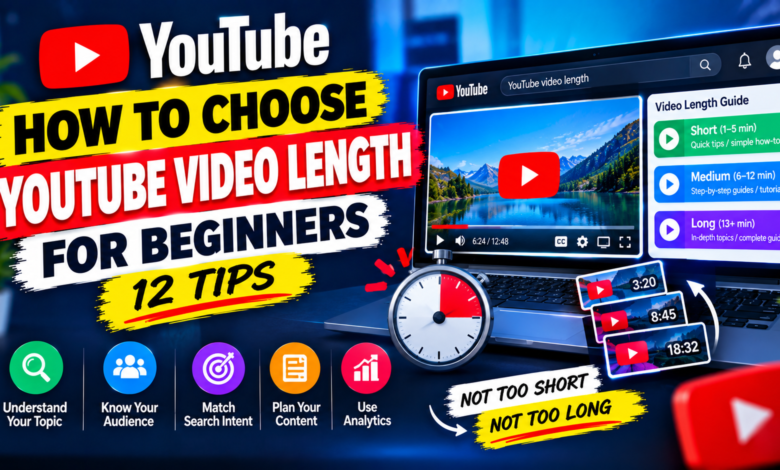
How to Choose YouTube Video Length for Beginners: 12 Tips
How to Choose YouTube Video Length for Beginners: 12 Tips

How to Choose YouTube Video Length for Beginners: 12 Practical Tips
One of the most common questions new YouTube creators ask is: How long should a YouTube video be?
Some creators believe longer videos always perform better, while others think short videos are the best choice for beginners. In reality, there is no single video length that works for every channel or every topic.
The right length depends on what you are trying to explain, what your audience expects, and how much useful information the topic requires. A five-minute tutorial can be better than a 20-minute video if it answers the viewer’s question clearly without unnecessary information.
In this guide, you’ll learn how to choose YouTube video length for beginners and how to decide when your videos should be shorter, longer, or somewhere in between.
1. Start With the Topic
The topic should determine your video’s length—not an arbitrary target such as 10 or 20 minutes.
For example, a video explaining a simple YouTube setting may only need a few minutes. A detailed beginner tutorial could require considerably more time.
Before recording, ask yourself:
“How much information does this topic actually require?”
If the answer can be delivered clearly in a short video, don’t add unnecessary sections just to make the video longer.
2. Focus on Value Instead of Minutes
New creators often worry about reaching a particular duration.
Instead, focus on providing value.
A useful five-minute tutorial can be more effective than a longer video filled with repetition, long introductions, or unrelated discussions.
Your goal should be to give viewers the information they came for in a clear and useful way.
Think about video length as a result of your content rather than the main goal.
3. Consider the Viewer’s Search Intent
The type of question your viewer has can help determine how much information you need to provide.
For example:
“How to change a YouTube thumbnail”
may require a relatively short step-by-step explanation.
On the other hand:
“How to grow a YouTube channel from scratch”
could reasonably require more detailed information because the topic contains multiple steps.
Match the amount of content to the complexity of the question.
4. Keep Simple Tutorials Focused
If you’re explaining a simple process, avoid turning it into a long lecture.
For a basic tutorial, a structure such as this may be enough:
- Brief introduction
- Explain what the feature does
- Show the steps
- Mention one or two common mistakes
- Quick conclusion
This keeps the video focused and makes it easier for beginners to follow.
5. Make Longer Videos When the Topic Requires Them
Longer videos can make sense when the subject genuinely requires more explanation.
Examples include:
- Complete tutorials
- Detailed guides
- Software walkthroughs
- Step-by-step courses
- Comparisons
- Case studies
- Comprehensive educational content
The important point is that the extra length should provide additional value.
Don’t stretch a six-minute explanation into 15 minutes simply because you think longer videos are automatically better.
6. Plan Your Main Points Before Recording
One of the easiest ways to choose a suitable video length is to outline the content first.
Write down the main points you need to cover.
For example:
Topic: How to Choose YouTube Keywords
You might plan:
- What a YouTube keyword is
- How to identify a topic
- How to find keyword ideas
- How to compare related searches
- How to choose a primary keyword
- Common mistakes
- Final checklist
Once you have the outline, you’ll have a better idea of how much time the explanation needs.
7. Avoid Long Introductions
Beginners sometimes spend too much time introducing themselves or explaining what the video will contain.
A short introduction is usually enough.
Tell viewers:
- What the video is about
- What they will learn
- Why the information is useful
Then start the main content.
For example:
“In this video, I’ll show you how to choose the right YouTube video length for your topic and audience, including when to make shorter or longer videos.”
You don’t need several minutes before reaching the main point.
8. Remove Repetition During Editing
Your first recording may be longer than the final video.
That’s completely normal.
During editing, remove:
- Repeated explanations
- Long pauses
- Unnecessary introductions
- Off-topic discussions
- Repeated examples
- Sections that don’t add useful information
This can make your final video more focused without removing important information.
9. Think About Your Audience
Different audiences may prefer different types of content.
A beginner audience may appreciate clear step-by-step explanations. A more experienced audience may want faster, more advanced information.
Consider:
Who is watching?
What do they already know?
What problem are they trying to solve?
How much explanation do they need?
Understanding your audience can help you decide how detailed your videos should be.
10. Use Analytics to Learn What Works
Once you have published several videos, your YouTube Analytics can provide useful information about viewer behavior.
Look at metrics and reports available for your channel, such as:
- Audience retention
- Average view duration
- Watch time
- Traffic sources
- Impressions
- Click-through rate
Don’t focus on one number in isolation.
For example, if viewers consistently leave during a particular section, review whether that section is too long, repetitive, or unrelated.
If viewers continue watching through detailed explanations, that may indicate that your audience values that level of depth for that type of topic.
11. Experiment With Different Lengths
You don’t have to use the same duration for every video.
Try different formats based on the subject.
For example, you could publish:
Short tutorial: A focused answer to one question
Medium tutorial: A step-by-step guide with examples
Long guide: A complete explanation covering several connected subtopics
Then compare how viewers respond to each type.
Over time, you may discover which formats fit your audience and content style best.
12. Don’t Chase an Arbitrary Video Length
One of the biggest mistakes beginners make is believing they need to hit a specific number of minutes.
There is no universal rule that says every YouTube video should be a particular length.
A useful video can be short or long.
Instead of asking:
“How can I make this video longer?”
ask:
“What information does my viewer actually need?”
Then create the video around that answer.
Example: Choosing Length for Different Topics
Here are some examples of how topic complexity can influence your approach.
Simple how-to
A basic setting or feature may only need a short explanation and demonstration.
Beginner tutorial
A multi-step process may need additional examples and troubleshooting.
Complete guide
A broad subject may naturally require multiple sections and more detailed explanations.
Comparison
A comparison may need enough time to explain the important differences fairly and clearly.
The exact duration should come from the content rather than being decided first.
Common Video Length Mistakes Beginners Should Avoid
Making videos longer for no reason
Extra minutes don’t automatically add value.
Rushing complicated topics
A complex tutorial may need more time to explain properly.
Using long introductions
Get to the main subject quickly.
Repeating the same point
Say it clearly once and move forward.
Copying another creator’s duration
Another channel’s audience and topic may be completely different from yours.
Ignoring analytics
Your own audience data can eventually provide better guidance than generic advice.
A Simple Formula for Choosing Video Length
Before recording, use this simple process:
Step 1: Identify the viewer’s question.
Step 2: List every important point needed to answer it.
Step 3: Remove points that aren’t necessary.
Step 4: Estimate how long a clear explanation of the remaining points will take.
Step 5: Record naturally.
Step 6: Edit unnecessary sections.
Step 7: Review viewer behavior after publishing.
This approach helps you create videos based on usefulness rather than an arbitrary time target.
Final Thoughts
Learning how to choose YouTube video length for beginners is really about understanding the relationship between your topic, audience, and content depth.
There is no universal ideal duration for every YouTube video. A simple question may require only a short tutorial, while a complicated subject may deserve a much more detailed explanation.
Start with the viewer’s needs, create a clear outline, remove unnecessary information, and use your YouTube Analytics to learn how your audience responds.
As you publish more videos, you’ll gain a better understanding of which topics deserve short explanations and which ones benefit from deeper coverage. The goal is not to make videos longer—it is to make them as useful and focused as the topic requires.