How to Make YouTube Videos Rank for Multiple Keywords
How to Make YouTube Videos Rank for Multiple Keywords

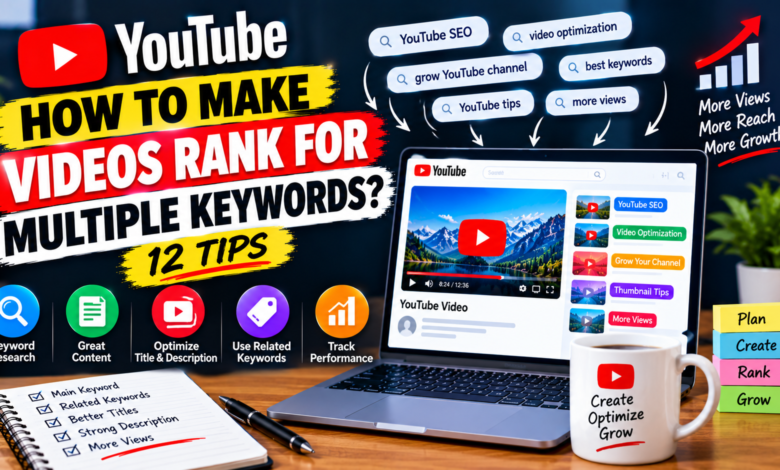
How to Make YouTube Videos Rank for Multiple Keywords: 12 Practical Tips
Getting one YouTube video to appear for several relevant searches can help a creator reach viewers with different search queries. Instead of creating a separate video for every slightly different keyword, you can sometimes build one comprehensive video around a main topic and naturally cover related searches.
Learning how to make YouTube videos rank for multiple keywords starts with understanding that keywords should support the topic rather than control the entire video. Your content needs to satisfy the viewer first, while your title, description, spoken content, and overall structure clearly communicate what the video is about.
Here are 12 practical ways to target multiple related keywords with one YouTube video.
1. Start With One Main Topic
Before collecting keywords, choose one clear topic for your video.
For example, suppose your main topic is:
YouTube thumbnail tips for beginners
Possible related searches might include:
- how to make YouTube thumbnails
- YouTube thumbnail tips
- how to create better thumbnails
- thumbnail design for beginners
- how to get more thumbnail clicks
These searches are related to the same broad subject.
Your goal is not to create a video that targets completely unrelated keywords. Instead, build one useful resource around a central topic and cover closely connected questions.
2. Find Closely Related Keywords
Once you have your main keyword, look for variations and related searches.
You can explore:
- YouTube search suggestions
- Related searches
- Questions viewers ask
- Comments on similar videos
- Google search suggestions
- Related phrases appearing in competing content
For example, if your main keyword is YouTube thumbnail tips, related phrases might include “thumbnail design,” “thumbnail text,” “thumbnail mistakes,” and “mobile thumbnail design.”
Choose keywords that have a clear connection to your main topic.
3. Understand Search Intent
Two keywords can look different while having almost the same search intent.
For example:
how to improve YouTube thumbnails
and
how to make better YouTube thumbnails
are closely related because the person searching either phrase may want similar information.
However, a keyword such as:
best camera for YouTube
has a different intent.
Trying to target unrelated search intentions in one video can make the content confusing.
Before combining keywords, ask:
Would the same viewer be satisfied by the same video?
If yes, they may belong in the same content plan.
4. Create a Keyword Group
Instead of treating every keyword separately, organize related terms into a small keyword group.
For example:
Main keyword:
YouTube thumbnail tips
Related keywords:
- how to make better YouTube thumbnails
- YouTube thumbnail design
- thumbnail tips for beginners
- how to improve thumbnail clicks
- YouTube thumbnail mistakes
This group gives you a content map.
You can then create sections around the related ideas without forcing every phrase into the video.
5. Build the Video Around Useful Subtopics
After creating your keyword group, turn the related searches into useful sections.
For example:
Section 1
What makes a good YouTube thumbnail
Section 2
How to choose thumbnail text
Section 3
How to use images and contrast
Section 4
Common thumbnail mistakes
Section 5
How to make thumbnails readable on phones
Now your video naturally covers several related concepts.
This approach is much better than repeating different keyword phrases throughout the script.
6. Write a Clear, Specific Title
Your main keyword can be included naturally in the title.
For example:
YouTube Thumbnail Tips for Beginners: How to Make Better Thumbnails
This title communicates the primary subject while also including a closely related concept.
Avoid creating extremely long titles simply to include more keywords.
A title should primarily help viewers understand what the video offers and decide whether it matches their search.
7. Use Related Terms Naturally in the Description
Your description gives you another opportunity to explain the video’s topic.
Write a useful summary that naturally mentions the main subject and important subtopics.
For example:
“This beginner-friendly guide covers YouTube thumbnail design, readable text, image selection, mobile-friendly layouts, common thumbnail mistakes, and ways to improve your video packaging.”
Notice that the description communicates several related concepts without awkward keyword repetition.
Write for humans first.
8. Cover Important Keywords in the Video
If a related keyword represents an important question, actually answer it in your video.
For example, if you’re targeting:
how to make YouTube thumbnails on phone
don’t simply mention the phrase.
Show viewers how to create a thumbnail using a phone or explain the relevant process.
The content should genuinely support the topics you’re trying to reach viewers for.
A keyword is much more useful when it represents information your video actually provides.
9. Use Chapters to Organize Multiple Topics
For longer videos, chapters can make several related sections easier to navigate.
For example:
00:00 Introduction
01:10 Choosing the right thumbnail image
03:20 Writing thumbnail text
05:40 Mobile thumbnail design
08:00 Common mistakes
10:15 Final checklist
This structure makes it clear that the video covers multiple aspects of one larger subject.
Chapters should describe the actual content rather than being created simply to insert keywords.
10. Don’t Stuff Keywords Into Your Video
Keyword stuffing can make content sound unnatural.
For example, repeatedly saying:
“YouTube thumbnail tips, YouTube thumbnail design, YouTube thumbnail tips for beginners, better YouTube thumbnails…”
doesn’t create a better viewer experience.
Instead, explain the topic normally.
Use different natural phrases when appropriate.
For example:
“Your thumbnail should communicate the main idea quickly. Keep the text readable, use a strong visual, and avoid filling the design with too many elements.”
The information matters more than repeating an exact phrase.
11. Connect Multiple Keywords Through One Search Journey
Think about what the viewer may want to know next.
Suppose someone searches:
how to improve YouTube thumbnails
They may also want to know:
- What size should a thumbnail be?
- How much text should it contain?
- What colors work well?
- How can it look better on mobile?
- What mistakes should be avoided?
You can use these related questions to create a comprehensive video.
This creates a natural connection between several search queries.
12. Review Performance and Improve Future Videos
After publishing, examine how your videos perform.
You can use available YouTube Analytics information to understand:
- How viewers discover your content
- Which topics attract attention
- How viewers interact with your videos
- Which videos continue receiving traffic
- Which content generates additional questions
If viewers discover your video through unexpected but relevant searches, those topics may give you ideas for future videos.
You don’t need to create a new video for every search immediately. First determine whether the search belongs to your existing topic or represents a separate audience need.
Example: Building a Multiple-Keyword Video
Suppose your main keyword is:
how to grow a YouTube channel
You could create a video titled:
How to Grow a YouTube Channel: Beginner Strategy for More Views
Your supporting topics might include:
- choosing a YouTube niche
- finding video topics
- improving titles
- creating better thumbnails
- getting initial viewers
- understanding analytics
- building consistent content
All of these topics can fit naturally into one comprehensive beginner guide.
However, if one supporting keyword requires a completely different explanation, it may deserve its own video.
When Should You Create Separate Videos?
Not every keyword should be combined.
Create separate videos when the search intent is significantly different.
For example:
how to create a YouTube channel
and
how to monetize a YouTube channel
may both relate to YouTube, but they answer different questions.
Likewise, a video about choosing a YouTube camera shouldn’t try to rank for unrelated searches about channel SEO.
A useful rule is:
Combine closely related searches; separate different search intentions.
This keeps your content focused.
Common Mistakes to Avoid
Targeting too many unrelated keywords
One video cannot effectively answer every question about a broad subject.
Repeating keywords excessively
Natural language is more readable than keyword-heavy scripts.
Ignoring the viewer
SEO should never make the video difficult to watch.
Creating misleading titles
Don’t include keywords for topics that your video doesn’t actually cover.
Making every section about SEO
Your primary objective should be providing useful information.
Creating unnecessary separate videos
If several searches represent the same question, one comprehensive video may be more useful than several thin videos.
Final Thoughts
Learning how to make YouTube videos rank for multiple keywords is mainly about building comprehensive content around closely related search queries.
Start with one main topic, research related phrases, group keywords according to search intent, and turn those ideas into useful sections. Use your main topic in the title and explain related concepts naturally throughout the video and description.
Most importantly, don’t try to force dozens of keywords into one piece of content.
A focused video that genuinely answers several closely connected questions can provide a better experience than multiple videos created only to target slightly different keyword variations.
Think about the viewer’s complete search journey, create useful content around that journey, and use your analytics to learn which related topics deserve more attention in future videos.