How to Find Why a YouTube Video Is Underperforming: 12 Tips
How to Find Why a YouTube Video Is Underperforming: 12 Tips

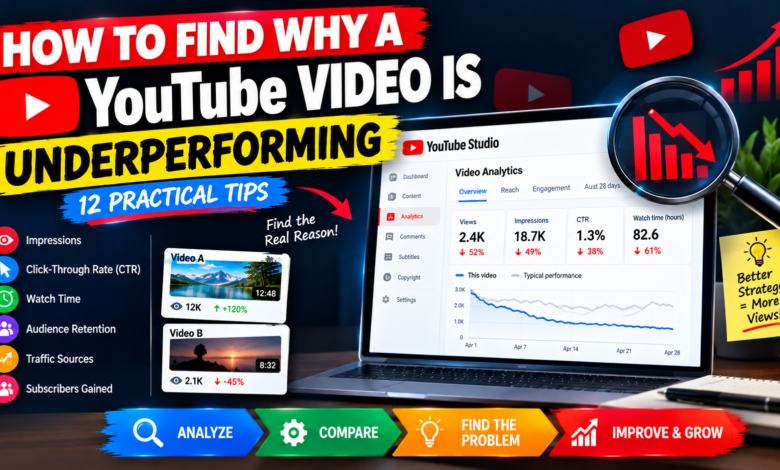
How to Find Why a YouTube Video Is Underperforming: 12 Practical Tips
Have you ever published a YouTube video, spent hours editing it, and then wondered why it received fewer views than expected? Many creators experience this problem, especially when they are trying to grow a small channel.
A video can underperform for several reasons. Its topic might not attract enough interest, the thumbnail may not encourage clicks, or viewers may leave before reaching the most useful information. Sometimes, the video simply needs more time to reach the right audience.
Learning how to find why a YouTube video is underperforming helps you identify possible problems using real performance data instead of guessing.
In this guide, you will discover 12 practical ways to analyze your videos, understand their weaknesses, and make smarter decisions for future uploads.
1. Start With YouTube Studio Analytics
The first step is to open YouTube Studio and select the video you want to investigate. Open its Analytics section to review the available performance information.
Pay attention to these important metrics:
- Views
- Impressions
- Click-through rate (CTR)
- Watch time
- Average view duration
- Audience retention
- Traffic sources
- Subscribers gained
Do not judge a video using views alone. A video with fewer views may still attract relevant viewers and generate valuable watch time.
Compare its performance with similar videos on your channel. This helps you identify whether the problem involves discovery, clicks, or viewer engagement.
2. Check Whether Your Video Gets Enough Impressions
Impressions indicate how often YouTube displays your thumbnail in eligible locations on the platform.
If your video receives very few impressions, it may not be reaching many potential viewers. Possible explanations include limited interest in the topic, strong competition, a narrow audience, or an unclear content strategy.
Ask yourself whether the video solves a specific problem and whether its topic matches your intended audience.
Compare its impressions with those of similar uploads. Also consider how long each video has been available.
Low impressions do not automatically mean your channel has a problem. They simply indicate that you should investigate discoverability and audience interest further.
3. Analyze Your Click-Through Rate
If your video receives impressions but relatively few clicks, examine its title and thumbnail.
Click-through rate measures how often viewers click after seeing an eligible impression. A lower CTR than your usual results may indicate that your video’s presentation needs improvement.
Try these changes:
- Make the title clear and specific.
- Communicate the main benefit of watching.
- Use a simple, readable thumbnail.
- Remove unnecessary thumbnail text.
- Ensure the title and thumbnail work together.
Avoid misleading clickbait. Your title and thumbnail should accurately represent the content.
Remember that CTR varies by audience and traffic source, so compare similar videos rather than relying on a universal benchmark.
4. Examine Audience Retention
Audience retention reveals how well your video holds viewers’ attention over time.
Open the retention report and look for significant drops near the introduction, middle sections, or ending.
If many viewers leave during the opening, your introduction might be too long or may not match the promise made by your title and thumbnail.
Start future videos by explaining the problem, showing what viewers will learn, and delivering useful information quickly.
If a major drop appears later, review that section for repetition, confusing explanations, unnecessary details, or a change in topic.
Use these patterns to improve your next video rather than assuming every drop represents a mistake.
5. Review Average View Duration and Watch Time
Average view duration shows approximately how long viewers watch your video on average. Watch time measures the total time viewers spend watching.
Both metrics provide useful information, but context matters.
For example, a short tutorial may naturally have a lower average view duration than a detailed educational video. That does not automatically mean the shorter video is unsuccessful.
Compare videos with similar topics and formats. If viewers consistently leave before reaching the main explanation, improve the structure and remove unnecessary delays.
Focus on delivering value throughout the video instead of making every upload longer.
6. Investigate Your Traffic Sources
YouTube Analytics can show where viewers discover your content.
Common traffic sources include:
- YouTube Search
- Browse features
- Suggested videos
- Playlists
- External websites
- Notifications
If you expected search traffic but received very little, your video may not match the questions viewers are searching for.
If Suggested videos contribute few views, consider whether your content connects naturally with related videos and topics.
For example, a series of connected tutorials may help viewers discover additional content on your channel.
Use traffic-source data to identify opportunities instead of assuming every video should receive traffic from the same places.
7. Check Whether the Topic Matches Search Intent
A video may target a relevant keyword but still underperform if it does not answer the viewer’s actual question.
Imagine someone searching for a beginner-friendly YouTube SEO tutorial. They probably want clear instructions and practical examples rather than a lengthy introduction unrelated to the problem.
Before publishing, identify what viewers expect to learn.
Make sure your title, opening, examples, and main explanation address the same need.
Use relevant keywords naturally in your title and description, but prioritize useful information over keyword repetition.
8. Compare the Video With Similar Uploads
Your existing videos can provide valuable clues about your audience.
Choose a few uploads covering similar topics and compare their performance over comparable periods.
Look at:
- Impressions
- CTR
- Views
- Watch time
- Audience retention
- Traffic sources
- Subscribers gained
You might discover that specific tutorials perform better than broad discussions, or that viewers prefer practical demonstrations over general advice.
These patterns can guide your future content calendar.
Avoid copying another creator’s strategy without understanding what works for your own audience.
9. Evaluate Engagement and Subscriber Growth
Likes, comments, shares, and subscribers gained provide additional context about how viewers respond to your content.
Low engagement does not automatically mean a video is poor. Some videos answer a question quickly without encouraging many comments.
However, you can create natural opportunities for interaction by asking a relevant question.
For example, a YouTube analytics tutorial could ask, “Which YouTube metric do you find hardest to understand?”
Reply to useful comments and pay attention to recurring questions. These can help you improve existing videos and discover ideas for future uploads.
10. Check Whether the Video Fits Your Channel
Sometimes, the problem is the topic rather than the editing or thumbnail.
If your channel usually covers YouTube growth but you suddenly publish unrelated content, your regular viewers may be less interested.
Ask yourself:
- Does this video serve my target audience?
- Does it solve a relevant problem?
- Does it connect with my channel’s main subject?
- Would viewers interested in this video want to watch my other content?
A focused channel helps viewers understand what they can expect from future uploads.
You can still experiment with new topics, but connect them logically to your audience’s interests whenever possible.
11. Review Your Title and Thumbnail
If your analytics suggest that the video presentation is weak, consider updating its title or thumbnail.
A strong title explains the subject clearly, while an effective thumbnail communicates the main idea quickly.
For example, replace a vague title with one that identifies the specific problem your video solves.
Change one major element at a time when practical. Then monitor the results over a meaningful period.
Do not assume that every increase in CTR will automatically lead to more views. Audience interest, impressions, and viewer satisfaction also influence overall performance.
12. Create a Data-Based Improvement Plan
Once you identify the most likely weakness, decide what to improve next.
Use this simple diagnostic guide:
- Low impressions: Review topic relevance, audience fit, and discoverability.
- Low CTR: Reconsider the title and thumbnail.
- Early audience drop-off: Improve the introduction and pacing.
- Weak search traffic: Check search intent and topic targeting.
- Low engagement: Add useful questions or opportunities for discussion.
- Weak performance across several metrics: Reassess the topic, content quality, and audience expectations.
Make focused changes rather than changing everything at once. This makes it easier to understand which improvements may have helped.
Continue monitoring the video and compare your next uploads with similar content.
Final Thoughts
Learning how to find why a YouTube video is underperforming starts with understanding your analytics and identifying where performance is weakest.
Check impressions, CTR, audience retention, watch time, traffic sources, and audience fit. Compare similar videos and look for repeated patterns before deciding what to change.
Not every underperforming video needs a new thumbnail or title. Sometimes the topic needs improvement, the introduction is too slow, or the video simply needs more time to reach interested viewers.
Treat each upload as an opportunity to learn. With regular analysis and focused improvements, you can better understand your audience and make smarter decisions for your YouTube channel.