How to Compare YouTube Videos in Analytics: 12 Tips
How to Compare YouTube Videos in Analytics: 12 Tips

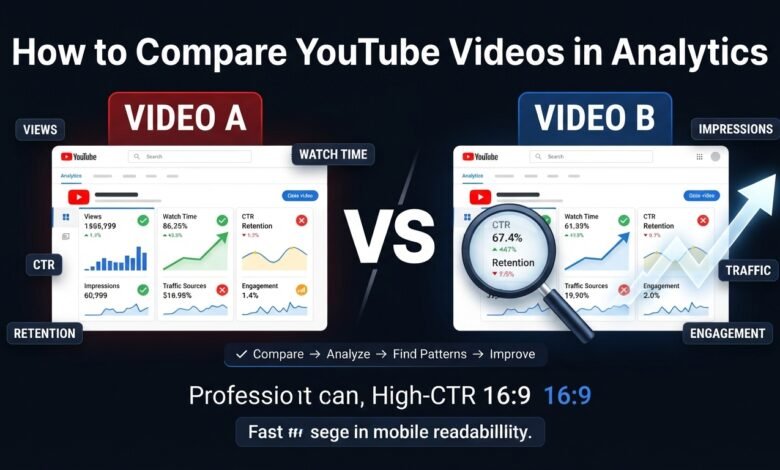
How to Compare YouTube Videos in Analytics: 12 Practical Tips
Publishing YouTube videos consistently is important, but simply uploading more content does not tell you what is working. To improve your channel, you need to understand which videos perform better and why.
YouTube Analytics gives creators useful performance information that can be used to compare videos. By comparing views, watch time, audience retention, impressions, click-through rate, traffic sources, and engagement, you can discover patterns that may help you create better content.
For beginners, however, comparing videos can feel confusing. A video with more views is not always the best-performing video, and a video with fewer views may actually have stronger viewer engagement.
In this guide, you will learn how to compare YouTube videos in Analytics and how to turn those comparisons into practical content improvements.
1. Compare Videos With Similar Topics
The first rule is to compare similar videos whenever possible.
Comparing a beginner tutorial with an unrelated entertainment video may not give you useful information.
Instead, compare videos that have similar:
- Topics
- Target audiences
- Formats
- Lengths
- Search intent
- Content goals
For example, if you have five videos about YouTube SEO, compare those videos with each other.
This makes it easier to identify which topics and formats your audience prefers.
2. Start With Views
Views are one of the easiest metrics to compare.
Look at how many views each video received during a similar period.
For example:
- Video A: 2,000 views
- Video B: 800 views
- Video C: 1,400 views
At first, Video A appears to be the winner.
However, do not stop at views. A video can receive more views simply because it had more exposure.
Use views as a starting point, then examine other metrics to understand the reason behind the difference.
3. Compare Watch Time
Watch time can provide additional context.
Suppose Video A has more views than Video B, but viewers spend significantly more time watching Video B.
That could indicate that Video B is more effective at keeping its viewers engaged.
When comparing videos, look at both total watch time and how viewers behave during the video.
Ask:
“Which video is getting people to spend more time with the content?”
This can help you identify topics and formats worth developing further.
4. Compare Audience Retention
Audience retention helps you understand how viewers behave while watching your videos.
When comparing two similar videos, look for differences in:
- Early viewer drop-off
- Important retention dips
- Strong sections
- Average percentage viewed
- Overall viewing patterns
For example, if one video loses many viewers during its introduction while another keeps viewers longer, the second video’s opening may provide useful lessons.
Study the structure of successful videos and apply what you learn to future content.
5. Compare Impressions
Impressions can help you understand how much exposure your videos are receiving.
Imagine:
Video A: 50,000 impressions
Video B: 8,000 impressions
Video A has received many more opportunities to be seen.
But why?
The difference may be related to topic demand, audience relevance, YouTube recommendations, search visibility, or other factors.
If one video consistently receives more impressions than similar videos, investigate what makes the topic and packaging different.
6. Compare Click-Through Rate
Click-through rate, or CTR, can help you understand how viewers respond when they see an eligible impression.
If two videos have similar impressions but one gets more clicks, examine their titles and thumbnails.
For example:
Video A: Higher impressions + lower CTR
Video B: Lower impressions + higher CTR
Video B may have stronger packaging even though it has not received as much exposure.
Do not treat CTR as a simple pass-or-fail score. Consider it together with impressions, traffic source, topic, and audience.
7. Compare Traffic Sources
Traffic sources show where viewers discover your videos.
Depending on the content, viewers may come from:
- YouTube Search
- Suggested Videos
- Browse features
- External sources
- Playlists
- Other YouTube surfaces
Suppose Video A gets most of its views from Search while Video B gets most of its views from Suggested Videos.
That tells you the videos are being discovered differently.
You can use this information to understand which types of content are more suitable for search-based discovery and which may have stronger recommendation potential.
8. Compare Audience Engagement
Likes, comments, shares, and other interactions can help you understand how viewers respond to your content.
Imagine two videos receive similar views:
Video A: 1,000 views and very little interaction
Video B: 1,000 views with many comments and likes
Video B may be creating a stronger connection with viewers.
Look at what makes the content different.
Maybe the topic encourages discussion, the video asks questions, or the information is particularly useful.
Use those observations when planning future videos.
9. Compare Videos Over the Same Time Period
One common mistake is comparing videos from completely different time periods.
A video published six months ago has had much more time to collect views than a video published last week.
Whenever possible, compare similar periods.
For example, examine how each video performed during its first:
- 24 hours
- 7 days
- 28 days
The exact comparison period should depend on your channel and the amount of data available.
The important thing is to make the comparison fair.
10. Compare Videos by Content Format
Your channel may use several different formats.
For example:
- Tutorials
- How-to guides
- List videos
- Comparisons
- Case studies
- Shorts
- Educational videos
Instead of comparing everything together, group similar formats.
You may discover that tutorials generate more search traffic while comparison videos generate more comments.
This information can help you create a balanced content strategy.
11. Look for Patterns Instead of One Winner
One video performing well does not automatically mean you have discovered the perfect strategy.
Try comparing several videos and look for repeated patterns.
For example, you may discover that your top-performing videos frequently:
- Solve specific problems
- Target beginners
- Have clear titles
- Receive search traffic
- Use shorter introductions
- Answer common questions
These repeated characteristics are more useful than a single successful video.
Create more content around patterns that consistently appear in your data.
12. Turn Comparisons Into Action
The final step is to use what you learn.
Suppose your comparison shows:
Video A: High impressions but low CTR
Action: Review title and thumbnail strategy.
Video B: Good CTR but weak retention
Action: Improve the opening and pacing.
Video C: Strong Search traffic
Action: Create related videos around similar search intent.
Video D: Strong comments
Action: Explore more discussion-based topics.
This turns Analytics from a reporting tool into a content improvement system.
A Simple YouTube Video Comparison Checklist
When comparing two or more videos, work through this checklist:
Step 1: Compare views
Which video received more views?
Step 2: Compare impressions
Which video received more exposure?
Step 3: Compare CTR
Which video attracted more clicks from eligible impressions?
Step 4: Compare watch time
Which video generated more viewing time?
Step 5: Compare retention
Where are viewers staying or leaving?
Step 6: Compare traffic sources
How are people discovering each video?
Step 7: Compare engagement
Which video generates more interaction?
Step 8: Compare audience fit
Which topic appears more relevant to your viewers?
Step 9: Find patterns
What characteristics appear repeatedly in stronger videos?
Step 10: Improve future content
Use those findings when planning your next videos.
Common Mistakes When Comparing YouTube Videos
Avoid these mistakes when analyzing your content.
Comparing unrelated topics: Different audiences can produce completely different results.
Looking only at views: Views do not explain the entire performance.
Ignoring video age: Older videos have had more time to collect data.
Obsessing over CTR: CTR should be interpreted alongside impressions and traffic sources.
Making decisions from one video: Look for repeated patterns across several videos.
Changing everything at once: Test improvements gradually so you can learn what works.
Final Thoughts
Learning how to compare YouTube videos in Analytics can help you understand what is actually working on your channel.
Do not simply look for the video with the highest number of views. Compare impressions, CTR, watch time, audience retention, traffic sources, engagement, topic, format, and audience fit.
The most valuable insight often comes from identifying patterns across several successful and unsuccessful videos.
Your goal should be simple:
Compare → Understand → Improve → Create Again
When you consistently use your YouTube Analytics data to guide your decisions, you can gradually create content that better matches your audience and improves your overall channel strategy.