How Long Should a YouTube Video Be for Beginners
How Long Should a YouTube Video Be for Beginners

How Long Should a YouTube Video Be for Beginners?
If you’re starting a YouTube channel, one question can be surprisingly difficult to answer: how long should a YouTube video be for beginners? You may hear creators recommend short videos, while others suggest making longer, detailed content.
The important thing to understand is that there is no single video length that every beginner should follow. A video should be long enough to deliver the promised information clearly, but it should not be extended with unnecessary content simply to reach a certain number of minutes.
Your topic, audience, format, and purpose should determine the final duration.
What Is a Good YouTube Video Length for Beginners?
For beginners, a useful starting point is to create videos that match the complexity of the topic.
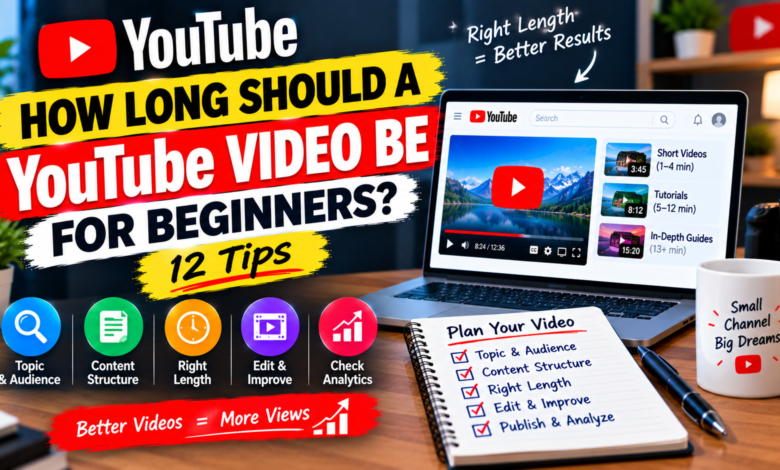
A simple question may only require a few minutes. A step-by-step tutorial may need 6–12 minutes, while a comprehensive guide can naturally take 15 minutes or longer.
The exact duration matters less than whether the viewer gets the information they came for.
For example, a video explaining one YouTube setting doesn’t need to become 20 minutes long. On the other hand, a complete beginner’s guide covering several important steps shouldn’t be rushed just to make it short.
1. Start With the Topic, Not the Timer
Don’t begin your planning by saying:
“I need to make a 10-minute video.”
Instead, start with:
“What does my viewer need to learn?”
Write down the important points that need to be covered.
If the topic requires five important steps, explain those five steps properly. If it only requires two steps, don’t add unnecessary information.
This approach allows the video’s natural length to develop from the content.
2. Match the Video to Search Intent
Search intent means understanding what the viewer actually wants when they search for something.
Consider these two searches:
“How to change a YouTube thumbnail”
and
“How to grow a YouTube channel from zero.”
The first question is narrow. A focused tutorial could answer it relatively quickly.
The second question is broad. A useful answer may require discussion of content ideas, thumbnails, titles, audience building, analytics, and other strategies.
Understanding the searcher’s goal can help you decide how much information your video needs.
3. Short Videos Are Not Automatically Better
Some beginners think they should make every video as short as possible.
That’s not always the right approach.
A short video works well when the topic itself is simple.
For example:
- One quick setting
- One small tutorial
- One definition
- One specific problem
- One simple tip
If the viewer can understand the complete solution in four minutes, that’s perfectly reasonable.
The goal isn’t to make a video short. The goal is to make it complete and useful.
4. Long Videos Are Not Automatically Better
The opposite mistake is believing that longer videos are always more valuable.
A 20-minute video containing five minutes of useful information and 15 minutes of filler is unlikely to be better simply because it is longer.
Avoid adding:
- Repeated points
- Unrelated stories
- Long introductions
- Excessive explanations
- Repeated conclusions
- Information that doesn’t support the main topic
Every section should have a purpose.
If removing a section makes the video clearer without removing important information, that section probably wasn’t necessary.
5. Use a Simple Content Structure
A clear structure makes it easier to determine how long your video should be.
For example, a beginner tutorial could follow this format:
Introduction
Explain what viewers will learn.
Main explanation
Introduce the important concept.
Step-by-step process
Show viewers exactly what to do.
Examples
Demonstrate the process with practical examples.
Common mistakes
Explain problems beginners should avoid.
Conclusion
Summarize the main points.
Once you create this outline, you’ll have a better idea of how much time the video actually requires.
6. Consider Your Audience
Your audience’s knowledge level can affect video length.
If you’re creating content specifically for beginners, you may need to explain terminology that experienced creators already understand.
For example, a new YouTuber may not know what:
- Impressions
- Click-through rate
- Audience retention
- Watch time
- Traffic sources
mean.
A short explanation can make the video much easier to follow.
However, don’t over-explain basic concepts if your audience already understands them.
The goal is to provide the right amount of context.
7. Use Examples to Add Value
Examples can make educational videos easier to understand.
Suppose you’re explaining YouTube titles.
Instead of saying:
“Write better titles.”
show an example of a weak title and then explain how it could be improved.
Examples may increase the length of a video, but that’s fine when they provide genuine value.
The important distinction is between useful additional information and filler.
8. Don’t Make Your Introduction Too Long
A long introduction can make a video feel slower than it needs to be.
Viewers usually want to understand quickly:
- What is this video about?
- What will I learn?
- Why should I continue watching?
You can answer these questions in a short opening.
For example:
“In this video, I’ll explain how beginners can choose the right YouTube video length based on their topic, audience, and content format.”
Then move into the main content.
9. Edit Your Video for Better Pacing
Your recording doesn’t have to become the final video exactly as recorded.
During editing, remove:
- Long pauses
- Mistakes
- Repeated sentences
- Unnecessary transitions
- Off-topic sections
- Slow sections
For example, you might record a 14-minute video and end up with a polished 10-minute version.
That’s completely normal.
Good editing helps the final video maintain a comfortable pace without artificially changing its length.
10. Study Similar Videos
Before creating a video, search for other videos covering the same subject.
Look at several results rather than copying one creator.
Ask:
- How detailed are the videos?
- What questions do they answer?
- How many steps do they show?
- Do they use examples?
- What information appears to be missing?
This research can help you understand how much content your topic may require.
However, don’t assume that another creator’s duration is a rule you must follow.
Your presentation and audience may be different.
11. Use Analytics to Improve Your Future Videos
Once your channel has several videos, YouTube Analytics can help you learn more about your audience.
Useful information can include:
- Average view duration
- Audience retention
- Watch time
- Click-through rate
- Traffic sources
- Returning viewers
Suppose you create two similar tutorials. One is eight minutes long and another is 16 minutes long.
If viewers consistently engage more deeply with the shorter format for similar topics, that can inform your future planning.
However, don’t make decisions from a single video. Compare similar topics and look for patterns over time.
12. Test Different Video Lengths
You don’t have to choose one permanent duration for your entire channel.
Experiment with different formats.
For example:
Quick videos: One specific question
Standard tutorials: One complete process
Detailed guides: Several related questions in one video
After publishing multiple videos, you can identify which formats are easiest for you to produce and which ones your audience responds to.
Testing is more useful than guessing.
How to Choose the Right Length Step by Step
If you’re still unsure, use this simple process:
Step 1: Identify the viewer’s question.
Step 2: Determine what information is necessary to answer it.
Step 3: Organize the information into sections.
Step 4: Add examples where they genuinely help.
Step 5: Record the complete explanation naturally.
Step 6: Remove repetition and filler during editing.
Step 7: Publish and study your analytics.
This process allows the content to determine the duration rather than forcing the content into a predetermined time limit.
Common Mistakes Beginners Should Avoid
Chasing a specific number
Don’t add unnecessary material just to reach 10 or 15 minutes.
Speaking too quickly
Trying to make a video shorter can make explanations difficult to understand.
Making every video the same length
Different subjects require different amounts of information.
Copying competitors
Another creator’s video length doesn’t automatically suit your audience.
Ignoring retention
If viewers consistently leave during a particular section, review your presentation and pacing.
Confusing length with value
More minutes do not automatically mean more useful information.
Final Thoughts
So, how long should a YouTube video be for beginners?
The best answer is: as long as necessary to satisfy the viewer’s intent without unnecessary filler.
Simple tutorials may work well as short videos, while detailed guides can naturally be much longer. Instead of chasing a specific number of minutes, focus on the topic, audience, structure, examples, and overall viewing experience.
Create a clear outline before recording, get to the main point quickly, edit your content carefully, and use YouTube Analytics to learn what works for your audience.
As your channel grows, you’ll become better at estimating how much time different topics require.
The goal isn’t to make the longest video or the shortest video. The goal is to make a video that gives viewers the right amount of useful information in a clear and engaging way.