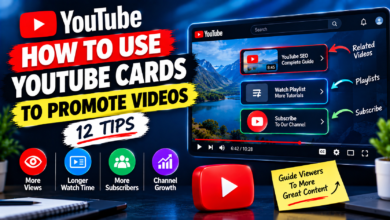
How to Use YouTube Cards to Promote Videos
How to Use YouTube Cards to Promote Videos

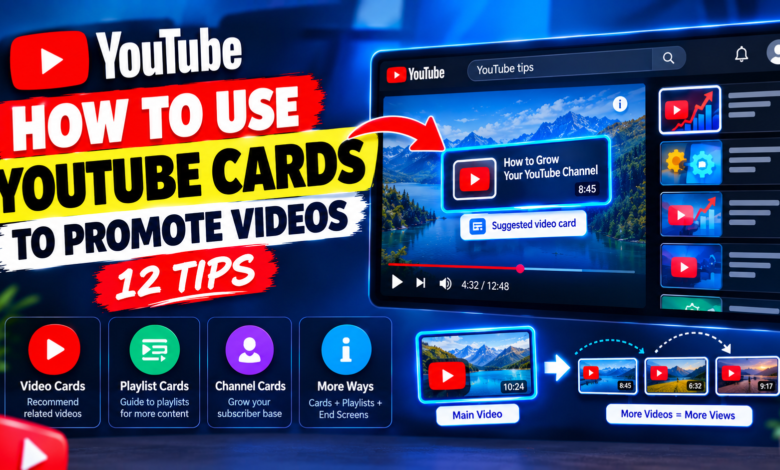
How to Use YouTube Cards to Promote Videos: 12 Effective Tips
YouTube creators often focus on getting viewers to click and watch one video, but there is another important opportunity: helping those viewers discover more useful content on the same channel. YouTube Cards can be used to connect videos and guide viewers toward related content while they are watching.
When used correctly, cards can make your videos more connected and give viewers an easy way to continue watching content that matches their interests. Instead of randomly recommending videos, you can use cards at strategic points where another piece of content genuinely helps the viewer.
In this guide, you’ll learn how to use YouTube cards to promote videos and how to make them part of a practical YouTube content strategy.
What Are YouTube Cards?
YouTube Cards are interactive elements that creators can add to videos. Depending on the available card types and channel eligibility, they can direct viewers toward other YouTube content such as videos, playlists, or channels.
For example, if you publish a video explaining YouTube keyword research, you could direct interested viewers to another video about creating search-friendly YouTube titles.
The key is relevance. A card should give viewers a useful next step instead of simply interrupting the video.
1. Choose Videos That Closely Match the Topic
The first step is choosing the right video to promote.
Suppose your current video explains how to improve YouTube thumbnails. A suitable card might lead viewers to a video about getting more clicks from YouTube search.
Both topics are connected to video discovery and presentation.
Avoid recommending completely unrelated content just because you want to increase its views. A relevant recommendation has a better chance of making sense to the viewer.
2. Think About the Viewer’s Next Question
A useful way to select a card is to ask:
“What might this viewer want to learn next?”
For example, if your video explains YouTube search ranking, the viewer might also want to learn about:
- YouTube keyword research
- Video titles
- Thumbnails
- Search intent
- YouTube descriptions
Choose the video that provides the most logical continuation.
This turns a simple card into part of a useful learning journey.
3. Add Cards at Relevant Points
Timing matters.
Don’t place a card randomly during a sentence or important explanation. Instead, look for a natural point where another video becomes relevant.
For example, if you say:
“Now that you understand keyword selection, you can learn how to create better YouTube titles in my related tutorial.”
That is a natural opportunity to recommend the related content.
The card supports the information rather than distracting from it.
4. Connect Videos Within the Same Topic Cluster
If your channel covers a specific subject, create groups of related videos.
For example, a YouTube growth channel could have a topic cluster like:
Keyword Research → Video Titles → Thumbnails → Search Ranking → Analytics
You can connect these videos with cards where appropriate.
This makes individual uploads work together rather than functioning as completely separate pieces of content.
5. Promote Useful Older Videos
Don’t forget about your existing library.
You may have older videos that still provide valuable information but receive less attention than your newer uploads.
When publishing a new video on a related topic, consider connecting viewers to those older resources.
For example, a new video about YouTube search ranking could introduce viewers to an older keyword research tutorial.
This can help your existing content remain part of your current content strategy.
6. Use Cards to Support Tutorials
Cards can be particularly useful for tutorial-based channels.
Imagine you’re creating a step-by-step guide and reach a topic that requires a separate detailed explanation.
Instead of spending several minutes covering every detail, you can briefly explain the concept and recommend another relevant video.
This keeps the current video focused while giving viewers an additional resource if they want more information.
7. Avoid Interrupting Important Information
A card should not interfere with the main lesson.
If you’re explaining an important step, don’t make the viewer choose between following your explanation and exploring another video.
Prioritize the main content first.
Then introduce recommendations at moments where viewers can reasonably decide whether they want additional information.
The purpose of a card is to improve navigation, not make the video harder to follow.
8. Create a Logical Viewing Path
Think of your channel as a library rather than a collection of unrelated uploads.
For example:
Video A: How to Find YouTube Keywords
↓
Video B: How to Write YouTube Titles
↓
Video C: How to Improve YouTube Thumbnails
↓
Video D: How to Improve YouTube Search Ranking
Cards can help connect these topics when the recommendation is relevant.
A viewer who starts with one video can then discover another useful resource without having to search for it manually.
9. Use Cards Alongside Playlists
Playlists and cards can work together.
A card can recommend a related video or playlist when the viewer reaches a relevant point. A playlist can then organize multiple videos around the same subject.
For example, a beginner YouTube SEO playlist could contain videos about keywords, titles, descriptions, thumbnails, and search ranking.
This gives viewers multiple ways to continue exploring your content.
10. Don’t Promote Every New Upload
It can be tempting to use every available opportunity to promote your latest video.
However, the newest video isn’t automatically the best recommendation.
Ask whether it actually matches the subject of the current video.
An older tutorial that directly answers the viewer’s next question can be more relevant than a brand-new upload about a different topic.
Always choose based on usefulness and context.
11. Review Your Video Performance
After publishing and connecting videos, review your available YouTube Analytics data.
Look at the broader performance of your content and identify which videos successfully keep viewers exploring your channel.
You can also examine which topics naturally lead into other topics.
For example, you may discover that viewers who watch your YouTube SEO tutorials are also interested in your thumbnail guides.
That insight can help you decide which videos to connect in future uploads.
12. Build Cards Into Your Content Planning
Don’t wait until the editing stage to think about related videos.
When planning a new video, write down two or three existing videos that could naturally support the topic.
Then decide where those recommendations could fit.
For example:
Main topic: How to Improve YouTube Search Ranking
Related content:
- YouTube keyword research
- Better YouTube titles
- YouTube thumbnail optimization
This simple planning step makes your internal content connections much more intentional.
Common YouTube Card Mistakes
Here are some mistakes creators should avoid:
Promoting unrelated videos
A card should make sense within the context of the current video.
Adding recommendations everywhere
Too many interruptions can make the viewing experience distracting.
Ignoring older content
Useful older videos can still be valuable recommendations.
Choosing videos only because they need views
Viewer relevance should be the primary consideration.
Forgetting about timing
A good recommendation can become less useful if it appears at the wrong moment.
Failing to connect related topics
If several videos answer different parts of the same problem, consider how they can work together.
Final Thoughts
Learning how to use YouTube cards to promote videos is mainly about creating useful connections between your content.
Instead of adding cards randomly, think about the viewer’s current question and what they may want to learn next. Recommend closely related videos, use cards at natural moments, connect topic clusters, and include older content when it remains useful.
You can also combine cards with playlists, descriptions, end screens, and other channel features to create a smoother viewing journey.
The goal isn’t simply to get viewers to click another video. The goal is to help them discover the next piece of content that genuinely matches their interests.