How to Make YouTube Videos Rank for Multiple Keywords
How to Make YouTube Videos Rank for Multiple Keywords

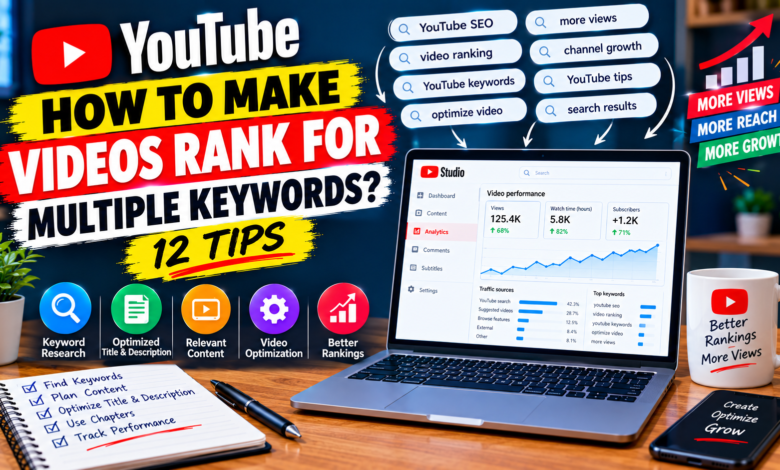
How to Make YouTube Videos Rank for Multiple Keywords: Complete Guide
Ranking a YouTube video for more than one relevant keyword can help you reach viewers searching for different versions of the same topic. Instead of creating a separate video for every small keyword variation, you can sometimes create one comprehensive video that answers several closely related searches.
However, targeting multiple keywords does not mean filling your title, description, and script with dozens of repeated phrases. The better approach is to build your video around one main topic and naturally cover related questions.
If you want to learn how to make YouTube videos rank for multiple keywords, this guide explains a practical strategy you can use when planning, creating, and optimizing your videos.
1. Choose One Primary Keyword
Start with one main keyword that clearly describes your video’s central topic.
For example:
Primary keyword: YouTube video promotion
Your video could then cover related topics such as:
- how to promote YouTube videos
- free YouTube promotion methods
- how to get more viewers
- YouTube video marketing tips
- ways to promote a new YouTube channel
The primary keyword gives your video a clear direction.
Avoid starting with ten unrelated keywords. If the topics don’t naturally belong together, they probably shouldn’t be targeted in the same video.
2. Find Closely Related Keywords
After choosing your primary keyword, find related searches that have a similar purpose.
You can discover ideas through:
- YouTube autocomplete
- Related searches
- Google suggestions
- Questions in YouTube comments
- Competitor video topics
- Online communities
- Frequently asked questions
For example, a video about YouTube promotion could naturally answer questions about free promotion, social sharing, communities, and getting initial viewers.
The important thing is relevance.
3. Group Keywords by Search Intent
Don’t just collect keywords. Organize them according to what the searcher wants.
For example:
Main topic: YouTube video promotion
Related intent:
- promote videos for free
- get more viewers
- promote a new video
- share YouTube videos
- increase video exposure
These searches can potentially be addressed within one comprehensive resource.
But a keyword such as best camera for YouTube has a completely different purpose. Adding it to a promotion video would make the content unfocused.
A useful rule is:
If one video can genuinely satisfy the same viewer’s related questions, the keywords may belong together.
4. Study the Questions Behind the Keywords
Keywords are only phrases. The real goal is understanding the question behind each search.
Suppose your primary keyword is:
YouTube thumbnail tips
Related searches may include:
- how to make YouTube thumbnails
- thumbnail design tips
- how to create thumbnails on phone
- how to improve thumbnail clicks
- common YouTube thumbnail mistakes
Instead of repeating these phrases, create sections that answer the underlying questions.
This gives the video genuine topical depth.
5. Create a Detailed Video Outline
Once you’ve grouped your keywords, turn them into a logical outline.
For example:
Introduction
Explain what makes a YouTube thumbnail effective.
Section 1
Choosing the main visual.
Section 2
Writing readable thumbnail text.
Section 3
Creating thumbnails on mobile.
Section 4
Common design mistakes.
Section 5
Making thumbnails easier to understand.
Section 6
Improving the overall presentation.
Each section addresses a related subtopic without making the video sound like a list of keywords.
6. Write a Natural YouTube Title
Your main keyword can appear naturally in your title.
For example:
YouTube Thumbnail Tips: How to Make Better Thumbnails for More Clicks
This communicates the primary subject and a related benefit.
Don’t try to create a title like:
YouTube Thumbnail Tips | YouTube Thumbnail Design | Best YouTube Thumbnails | Thumbnail SEO
A title like that can look unnatural and difficult to read.
Your title should primarily communicate the video’s value to a real viewer.
7. Use Related Topics in Your Description
Your description can provide additional context about what the video covers.
For example:
Learn how to create better YouTube thumbnails with practical tips for design, readable text, mobile-friendly layouts, image selection, and common mistakes.
This naturally communicates several related concepts without awkward keyword repetition.
The description should summarize the actual video rather than becoming a collection of search phrases.
8. Cover the Related Keywords in the Video
If a keyword represents an important subtopic, actually provide information about it.
For example, if you’re targeting:
how to make YouTube thumbnails on phone
your video should include practical information about creating thumbnails on a mobile device.
Simply mentioning the phrase once doesn’t make the video useful for that search.
The strongest approach is to make your content genuinely answer the questions represented by your related keywords.
9. Use Chapters to Organize Larger Videos
When a video covers several connected topics, chapters can make navigation easier.
For example:
00:00 Introduction
01:15 Choosing the right thumbnail image
03:10 Thumbnail text tips
05:25 Designing thumbnails on phone
07:40 Common thumbnail mistakes
10:00 Final checklist
This structure helps viewers understand what information is available and allows them to navigate to relevant sections.
Use chapter titles that accurately describe the content rather than adding keywords simply for SEO.
10. Avoid Keyword Stuffing
One of the biggest mistakes when targeting multiple keywords is excessive repetition.
You don’t need to repeatedly say the exact keyword throughout your script.
Instead of forcing:
“YouTube thumbnail tips”
into every paragraph, use natural language.
For example:
Your thumbnail should communicate the video’s main idea quickly. Use readable text, a clear visual, and enough contrast so viewers can understand it on smaller screens.
The content remains focused while the language sounds natural.
11. Connect Related Questions
Think about what the viewer is likely to ask next.
For example, someone searching:
how to improve YouTube thumbnails
may also want to know:
- What should the thumbnail contain?
- How much text should I use?
- Should I use a face?
- How can I design it on a phone?
- What mistakes should I avoid?
These questions can become sections of the same video if they fit the main topic.
This is a useful way to build comprehensive content without creating unnecessary keyword-focused videos.
12. Use Analytics to Discover New Opportunities
After publishing your video, check your available YouTube Analytics data.
Look at information that can help you understand:
- How viewers discovered the video
- Which content attracts viewers
- How viewers interact with the video
- Which topics generate interest
- Where viewers may be leaving
You may discover that people are finding your video through related searches you didn’t originally consider.
Those discoveries can help you improve future videos or create separate content around topics that deserve deeper coverage.
Example of a Multiple-Keyword Strategy
Imagine your primary keyword is:
how to grow a YouTube channel
You could create a comprehensive beginner video covering:
- Choosing a focused topic
- Finding useful video ideas
- Creating better titles
- Improving thumbnails
- Getting initial viewers
- Encouraging engagement
- Understanding basic analytics
Related keywords might include:
- how to grow a new YouTube channel
- YouTube growth tips for beginners
- how to get more YouTube viewers
- how to build a YouTube audience
- YouTube channel growth strategy
Instead of creating five thin videos, one comprehensive guide could address several closely connected questions.
However, if one keyword represents a completely different search intent, create separate content instead.
When Should You Create a Separate Video?
Not every related-looking keyword belongs in the same video.
For example:
how to grow a YouTube channel
and
how to edit YouTube videos
are connected to YouTube but have different purposes.
A viewer searching for channel growth may not want a detailed editing tutorial.
Likewise, combining too many unrelated subjects can make your video difficult to structure.
Use separate videos when the viewer’s goal changes significantly.
Common Mistakes to Avoid
Targeting too many keywords
More keywords don’t automatically mean more ranking opportunities.
Ignoring search intent
Related words can still represent completely different questions.
Repeating exact phrases
Keyword stuffing can make your content unnatural.
Creating misleading titles
Don’t target a search unless your video actually provides the promised information.
Forgetting the viewer
SEO should support the content rather than dominate it.
Making one video unnecessarily broad
A focused video can often provide a better experience than an enormous collection of unrelated topics.
Final Thoughts
Learning how to make YouTube videos rank for multiple keywords is primarily about creating comprehensive content around one clear subject.
Choose a primary keyword, research closely related searches, group them by intent, and build useful sections around the questions your audience actually wants answered.
Use the main topic naturally in your title and description, cover relevant subtopics in the video, and organize longer content with clear sections or chapters.
Most importantly, don’t try to rank for every possible keyword.
Focus on closely related searches that can be satisfied by the same useful video. This keeps your content focused while giving viewers more complete answers.
Over time, use your analytics and audience questions to discover additional topics. This approach can help you build videos that are useful to viewers while naturally covering multiple relevant search opportunities.