How often should a small YouTube channel upload
How often should a small YouTube channel upload

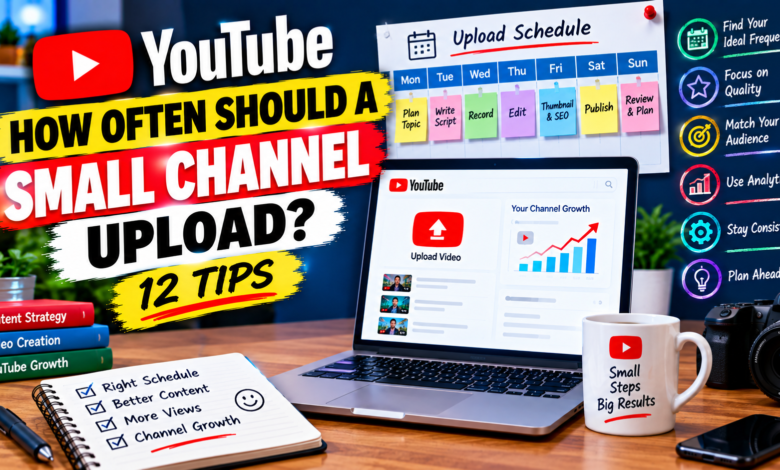
How Often Should a Small YouTube Channel Upload?
One of the most common questions new creators ask is, how often should a small YouTube channel upload? Some beginners believe they need to publish a video every day, while others upload only when they have enough time.
The truth is that a small channel does not necessarily need to upload every day. A better approach is to choose a schedule that allows you to consistently create useful, well-planned videos without sacrificing quality.
For many small channels, consistency matters more than simply publishing a large number of videos. The right upload frequency depends on your topic, available time, production process, audience, and type of content.
In this guide, you’ll learn how to choose a realistic YouTube upload schedule and maintain it as your channel grows.
Is Daily Uploading Necessary for a Small Channel?
No, daily uploading is not automatically necessary for a small YouTube channel.
Creating a new video every day can be difficult, especially if you are handling everything yourself.
You may need to:
- Research topics
- Write scripts
- Record videos
- Edit footage
- Create thumbnails
- Write titles and descriptions
- Analyze performance
- Respond to viewers
Trying to complete all of these tasks every day can quickly become overwhelming.
Instead of focusing on maximum frequency, focus on creating a schedule you can realistically maintain.
1. Choose a Schedule You Can Maintain
The best upload schedule is one you can follow consistently.
For example, you might choose:
- One video per week
- Two videos per week
- Three videos per week
- One detailed video every two weeks
There is no need to choose a schedule simply because another creator uses it.
If you can comfortably produce one high-quality video every week, that can be a practical starting point.
Consistency becomes easier when your schedule matches your available resources.
2. Start With One Video Per Week
For many beginners, one video per week is a manageable schedule.
It gives you enough time to:
- Research the topic
- Plan the video
- Write a script
- Record
- Edit
- Design a thumbnail
- Optimize the title and description
- Review the finished video
It also gives you several days to work on the next video.
A weekly schedule can be especially useful if you’re running your channel alongside school, work, business, or other responsibilities.
3. Uploading Twice a Week Can Work Too
If you have enough time and can maintain quality, two uploads per week can give you more opportunities to publish different topics.
For example:
Tuesday: Beginner tutorial
Saturday: Practical tips or strategy video
This schedule gives your channel regular activity while still leaving time between uploads.
However, don’t move from one weekly upload to two simply because you think more uploads automatically mean faster growth.
The additional videos should still provide useful content.
4. Quality Should Come Before Quantity
Uploading frequently doesn’t help much if every video feels rushed.
A video may require significant work before publication.
For example, a detailed tutorial might take several hours to research, record, edit, and package properly.
If increasing your upload frequency causes you to:
- Use weaker topics
- Create poor thumbnails
- Skip editing
- Repeat old information
- Rush your script
- Ignore your audience
then the faster schedule may not be useful for your workflow.
A slower but sustainable schedule can give you more time to improve each video.
5. Consider Your Content Type
Different types of YouTube content require different amounts of production time.
A simple talking-head update may be relatively quick to create.
A detailed tutorial could require:
- Screen recording
- Multiple takes
- Demonstrations
- Voice-over
- Graphics
- Editing
Likewise, educational videos may require more research than casual content.
Before choosing your upload frequency, estimate how much work your typical video requires.
Your content format should influence your schedule.
6. Create Videos in Batches
Batching can make a small channel’s upload schedule easier to manage.
Instead of creating one video from beginning to end every time, group similar tasks together.
For example:
Day 1: Research several topics
Day 2: Write multiple outlines
Day 3: Record several videos
Day 4: Edit
Day 5: Create thumbnails and metadata
This approach can reduce the time spent repeatedly switching between different tasks.
You can also prepare several videos before publishing them.
7. Build a Content Buffer
A content buffer means having one or more completed videos ready before you need to publish them.
For example, if you normally publish every Saturday, having another finished video available can reduce pressure.
A buffer can help when:
- You become busy
- Your computer has a problem
- Recording takes longer than expected
- You need extra research
- You have unexpected responsibilities
You don’t need a huge library of videos. Even having one or two ready can make your schedule easier to maintain.
8. Don’t Change Your Schedule Every Week
Another common beginner problem is constantly changing upload frequency.
One week you publish five videos.
The next week you publish none.
Then you suddenly upload three videos.
A more predictable workflow can make content creation easier.
Choose a realistic schedule and follow it long enough to evaluate the results.
For example, try a weekly schedule for several weeks before deciding whether you need to change it.
9. Use YouTube Analytics to Evaluate Your Schedule
Your analytics can help you understand how your content is performing.
Look at metrics such as:
- Views
- Watch time
- Audience retention
- Impressions
- Click-through rate
- Returning viewers
- Traffic sources
Also consider how much time you spend creating each video.
If publishing more frequently causes your video quality or audience response to decline, you may need to adjust your workflow.
Analytics shouldn’t be used simply to count uploads. Use them to understand what happens when you change your content strategy.
10. Focus on Topic Quality
For a small channel, choosing useful topics is important.
Instead of publishing several weak videos just to meet a schedule, spend more time finding questions your target audience actually wants answered.
Good topics can include:
- Beginner questions
- Common problems
- Step-by-step tutorials
- Comparisons
- Mistakes to avoid
- Practical solutions
- Frequently searched questions
A well-planned topic can give you more useful content opportunities than randomly publishing every day.
11. Don’t Sacrifice Your Energy
Content creation can become exhausting if you constantly feel pressure to publish.
This is particularly important for solo creators.
If you are responsible for research, scripting, recording, editing, thumbnails, SEO, and promotion, you need enough time to recover and plan.
A schedule that you can maintain for months is often more practical than a schedule that you can only maintain for two weeks.
Think about your long-term workflow, not just your next upload.
12. Adjust Your Schedule as Your Channel Grows
Your ideal upload frequency can change over time.
As you become better at scripting and editing, you may be able to produce videos faster.
You may also discover which topics perform well and develop a more efficient production system.
For example, you might start with:
One video per week
and later move to:
Two videos per week
if you can maintain the same level of quality.
There is no requirement to increase your frequency just because your channel gets bigger.
Your schedule should continue to fit your goals and resources.
A Simple Upload Schedule for Beginners
If you’re unsure where to start, consider this example:
Monday
Research and select a topic.
Tuesday
Create the outline and script.
Wednesday
Record the video.
Thursday
Edit the video.
Friday
Create the thumbnail and optimize the title and description.
Saturday
Publish the video.
Sunday
Review performance and plan the next topic.
This is only an example. You can move the tasks around according to your availability.
The important part is having a repeatable process.
Common Upload Mistakes Small Channels Should Avoid
Uploading every day without a plan
More videos don’t automatically make a channel successful.
Choosing quantity over usefulness
A rushed video may provide less value than a carefully planned one.
Copying another creator’s schedule
Their production resources may be completely different from yours.
Taking long breaks without planning
A content buffer can help you continue publishing when life becomes busy.
Changing your strategy constantly
Give your schedule enough time before judging whether it works.
Ignoring your own workload
Your upload plan should be realistic for your available time.
Final Thoughts
So, how often should a small YouTube channel upload?
There isn’t one schedule that works for every creator. A small channel can start with one well-planned video per week, while creators with more time and efficient workflows may choose two or more uploads.
The most important thing is to select a schedule you can maintain without sacrificing the usefulness and quality of your videos.
Plan your topics in advance, batch similar tasks, build a small content buffer, and review your YouTube Analytics regularly.
Instead of asking how many videos you can publish this week, ask:
“What upload schedule can I realistically maintain for the next several months?”
That question can help you build a more sustainable YouTube content workflow.