How to use YouTube cards to promote videos
How to use YouTube cards to promote videos

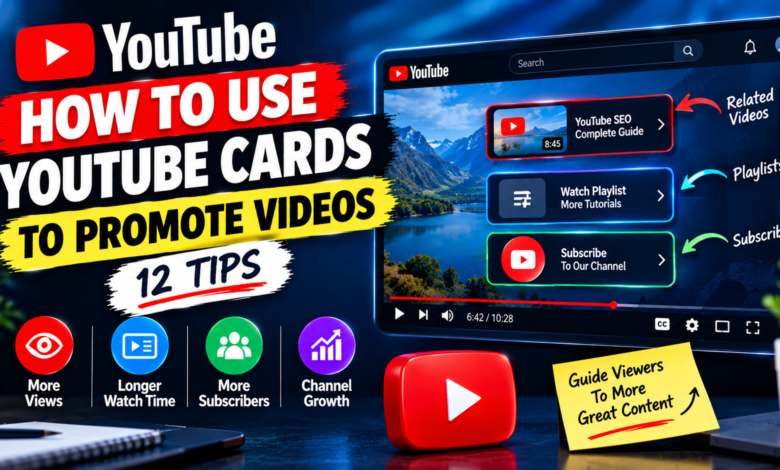
How to Use YouTube Cards to Promote Videos: 12 Proven Tips
YouTube offers several features that can help creators guide viewers toward more of their content. One useful feature is YouTube Cards, which can be used to recommend related videos, playlists, channels, and other content while viewers are watching a video.
If you have multiple videos on your channel, using cards strategically can help viewers discover relevant content instead of leaving your channel after watching one video. This can create a better viewing journey and help your videos work together as a content library.
In this guide, you’ll learn how to use YouTube cards to promote videos and how to use them naturally without distracting your audience.
What Are YouTube Cards?
YouTube Cards are interactive elements that creators can add to videos. They can appear during a video and give viewers an opportunity to explore related content.
For example, if you create a video about YouTube thumbnails, you could use a card to recommend another video about improving thumbnail clicks.
Cards work best when the recommended content is directly related to what the viewer is currently watching.
1. Promote a Closely Related Video
One of the simplest ways to use YouTube cards is to recommend another video that covers a related topic.
For example, imagine your video is:
How to Improve YouTube Video Impressions
You could promote a related video about:
How to Fix Low YouTube Impressions
The viewer is already interested in impressions, so the second video may naturally match their interest.
Avoid adding unrelated videos simply because you want to promote them. Relevance should come first.
2. Match the Card to the Viewer’s Current Topic
Think about what the viewer might want to learn next.
If your video explains how to create YouTube playlists, a card about using playlists to grow a channel makes sense.
If you’re discussing YouTube descriptions, recommend another video related to descriptions, keywords, or YouTube SEO.
This creates a logical path between your videos.
3. Place Cards at Useful Moments
Don’t add cards randomly throughout your video.
Instead, consider moments when viewers may naturally want additional information.
For example, if you mention a strategy that you explain in greater detail in another video, that can be a suitable point to recommend it.
You can also place a card after introducing a related concept, giving interested viewers an opportunity to explore it.
The goal is to make the card feel helpful rather than like an interruption.
4. Use Cards to Create a Content Chain
If your channel contains several videos around the same subject, cards can connect them.
For example:
Video 1: YouTube Keyword Research
↓
Video 2: YouTube Titles
↓
Video 3: YouTube Thumbnails
↓
Video 4: YouTube Analytics
Each video can introduce viewers to another useful resource.
This approach can turn individual videos into a connected content system.
5. Promote Older Videos
You don’t have to use cards only for your newest uploads.
If you have an older video that is still useful, you can connect it to newer content.
For example, suppose you published an SEO guide several months ago. If you create a new video that discusses a related topic, you can use a card to send interested viewers to the older guide.
This gives older content another opportunity to be discovered.
6. Connect Videos With the Same Audience
Another effective strategy is to promote videos that target the same type of viewer.
For example, a channel focused on beginner YouTube creators might have videos about:
- YouTube SEO
- Thumbnails
- Video descriptions
- Analytics
- Playlists
- Audience engagement
These topics are different, but they appeal to a similar audience.
Using cards to connect them can make it easier for viewers to explore your channel.
7. Use Cards When You Mention Another Video
A natural opportunity for a card occurs when you verbally reference another video.
For example, you could say:
“If you want to learn more about creating effective YouTube thumbnails, check out my related video.”
Then place the relevant card around that part of the video.
This creates a connection between your spoken message and the clickable recommendation.
However, don’t repeatedly tell viewers to click cards. Use them only when they genuinely provide additional value.
8. Don’t Add Too Many Cards
More cards do not necessarily mean more promotion.
Adding too many recommendations can make your video feel cluttered and can distract viewers from the main topic.
Instead, choose the most relevant content.
Ask yourself:
“What is the one additional video that would be most useful to someone watching this section?”
A focused recommendation is usually more useful than a long list of unrelated choices.
9. Promote Videos That Continue the Topic
One powerful strategy is to recommend a video that answers the next question a viewer may have.
For example, your video might explain:
How to Write Better YouTube Video Descriptions
At the end of a related section, you could recommend content about adding keywords to YouTube descriptions.
The viewer learns one part of the process and then has an opportunity to continue learning.
This makes your content more useful and creates a natural viewing path.
10. Use Cards With Your Overall Channel Strategy
YouTube cards should not be treated as an isolated promotion method.
Think about how your videos connect before publishing them.
When planning a new video, identify:
- The main topic
- Related videos already on your channel
- The next topic viewers may need
- Which video provides the most useful follow-up
Then use cards to connect appropriate content.
This approach can help you build a more organized channel instead of publishing completely disconnected videos.
11. Check Your YouTube Analytics
After using cards, review your available YouTube analytics to understand how viewers interact with them.
Look for patterns such as which videos successfully send viewers toward other content and which recommendations receive little interest.
If one type of recommendation consistently performs better, you can use that insight when planning future videos.
Analytics should help you understand viewer behavior rather than simply adding more cards everywhere.
12. Combine Cards With Other YouTube Features
Cards are only one way to promote your videos.
You can also connect related content through:
- End screens
- Playlists
- Video descriptions
- Pinned comments
- Channel sections
- Verbal calls to action
For example, you might mention a related video during your content, add a card at the relevant moment, and then use an end screen to recommend another piece of content.
The important thing is to keep the viewer’s journey natural.
Common YouTube Card Mistakes to Avoid
When using cards, avoid these common mistakes:
Promoting unrelated videos: A card should match the viewer’s current interest.
Adding too many recommendations: Too many options can distract viewers.
Using cards only for new videos: Older useful content can also be promoted.
Ignoring context: A card is more useful when it appears at a relevant point.
Forcing clicks: Recommendations should provide genuine value.
Not reviewing performance: Use available analytics to understand which recommendations are useful to viewers.
Final Thoughts
Learning how to use YouTube cards to promote videos can help you connect related content and make it easier for viewers to discover more of your channel.
The best strategy is not to add cards everywhere. Instead, choose relevant videos, place recommendations at useful moments, connect related topics, and guide viewers toward content that naturally continues their learning journey.
When your videos are connected thoughtfully, each upload can help introduce viewers to another useful piece of content on your channel.
Focus Keyword
how to use YouTube cards to promote videos
SEO Title
How to Use YouTube Cards to Promote Videos: 12 Tips
Meta Description
Learn how to use YouTube cards to promote videos with relevant recommendations, strategic placement, content connections, analytics, and proven promotion tips.
URL Slug
how-to-use-youtube-cards-to-promote-videos