How to Choose YouTube Video Length for Beginners
How to Choose YouTube Video Length for Beginners

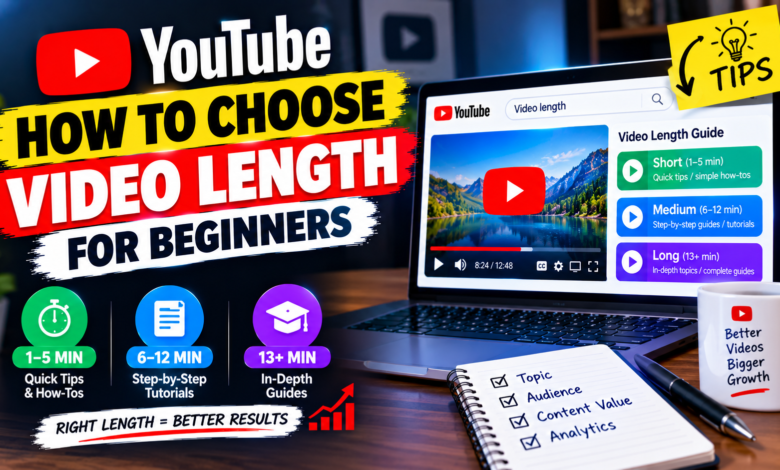
How to Choose YouTube Video Length for Beginners: A Complete Guide
One of the biggest questions new YouTube creators have is how long their videos should be. Some creators worry that short videos will not provide enough value, while others try to make every video longer because they believe longer content performs better.
The reality is simpler: there is no universal YouTube video length that is perfect for every creator or topic.
A good video should be long enough to answer the viewer’s question properly without adding unnecessary information. A simple tutorial may only need a few minutes, while a detailed guide may naturally require much more time.
If you’re just starting your channel, learning how to choose YouTube video length for beginners can help you create focused videos without worrying about an arbitrary number of minutes.
1. Let the Topic Decide the Length
The first rule is to start with your topic.
Don’t decide that every video must be exactly 10, 15, or 20 minutes before you know what you’re going to explain.
For example, a video about how to change a YouTube channel banner may be relatively short because the process is straightforward.
A video about how to grow a YouTube channel from scratch, however, may need several sections covering content, titles, thumbnails, audience research, analytics, and promotion.
The more complicated the subject, the more explanation it may require.
2. Focus on Completing the Viewer’s Goal
Think about why someone clicked your video.
If they searched for a specific solution, your goal should be to provide that solution clearly.
For example, someone searching for:
How to add a YouTube end screen
probably wants a straightforward tutorial.
They don’t necessarily need a long introduction about the history of YouTube. They want to know what to click, where to find the feature, and how to use it correctly.
Always ask:
“What does my viewer need to know before they can solve this problem?”
That answer should guide your video length.
3. Short Videos Can Be Useful
A short video is not automatically low quality.
If you can completely answer a question in four or five minutes, there is no reason to add unnecessary material just to make the video longer.
Shorter videos can work particularly well for:
- Simple tutorials
- Quick explanations
- Single-feature walkthroughs
- Definitions
- Troubleshooting tips
- One specific question
The important thing is that the video feels complete rather than rushed.
4. Longer Videos Can Be Useful Too
Longer videos can make sense when the subject requires more detail.
Examples include:
- Complete beginner guides
- Detailed tutorials
- Software walkthroughs
- Educational lessons
- Case studies
- Comparisons
- Multi-step strategies
For these topics, trying to make the video extremely short could result in missing important information.
Instead of asking, “How can I make this video longer?”, ask:
“What useful information does the viewer still need?”
That difference can improve your content planning.
5. Research Similar Videos
Before recording a video, search for the topic on YouTube.
Look at the existing results and observe how creators approach the subject.
Pay attention to:
- The type of content
- The complexity of the topic
- How many steps are included
- Whether examples are provided
- How detailed the explanations are
You don’t need to copy another creator’s video length.
Use the results to understand what viewers may already expect from that type of content, then create a video that provides your own useful explanation.
6. Create an Outline Before Recording
An outline can help you estimate the appropriate length before you start recording.
For example, suppose you’re making a video called:
How to Improve YouTube Thumbnails
Your outline might include:
- What makes a good thumbnail
- Choosing the main visual
- Using readable text
- Improving contrast
- Avoiding clutter
- Mobile-friendly design
- Common mistakes
- Final checklist
Once you know what you need to explain, the natural length of the video becomes easier to estimate.
An outline also prevents you from adding random information just to increase duration.
7. Avoid Long Introductions
One common beginner mistake is spending too much time introducing the video.
You don’t need a lengthy personal introduction before starting the main subject.
A simple opening could be:
“In this video, I’ll show you how to choose the right length for your YouTube videos and how to decide when a topic needs more or less detail.”
Then move into the useful information.
A clear opening helps viewers understand what they’re about to learn.
8. Remove Unnecessary Content During Editing
Your recorded video may be longer than the final version.
That’s normal.
During editing, remove sections that don’t contribute to the main topic.
Look for:
- Repeated explanations
- Long pauses
- Unnecessary greetings
- Off-topic stories
- Repeated examples
- Unclear sections
- Excessive transitions
Editing isn’t about making the video as short as possible. It’s about making every section useful.
If an eight-minute video becomes six minutes after removing unnecessary material, that’s perfectly fine.
9. Consider Your Audience’s Experience Level
Beginners may need more explanation than experienced viewers.
For example, if you’re teaching someone how to use YouTube Analytics for the first time, you may need to explain basic terms before showing advanced information.
An experienced audience may prefer a faster explanation.
Before choosing your video’s length, consider:
Who is watching?
What do they already know?
What terminology needs explanation?
What examples would make the topic easier to understand?
Your audience’s knowledge level can influence how much time the topic requires.
10. Use YouTube Analytics After Publishing
Once you have published several videos, your own analytics can provide valuable information.
Look at available metrics such as:
- Audience retention
- Average view duration
- Watch time
- Impressions
- Click-through rate
- Traffic sources
For example, if viewers regularly leave during a long introduction, consider making future introductions shorter.
If viewers continue watching detailed tutorials, your audience may appreciate more in-depth explanations for similar topics.
Don’t judge video length using one metric alone. Look at the overall viewing pattern and compare videos covering similar subjects.
11. Test Different Video Lengths
You don’t have to use one fixed duration for your entire channel.
Experiment with different formats.
For example:
Short format: One question or quick tutorial
Medium format: A complete step-by-step guide
Long format: A detailed guide covering multiple connected areas
After publishing enough content, compare how different formats perform with similar topics.
This can help you understand what works naturally for your channel.
12. Don’t Copy Another Creator’s Video Length
A competitor may publish 20-minute videos successfully, but that doesn’t mean your videos need to be 20 minutes long.
Their audience, presentation style, topic complexity, and content format may be completely different.
Likewise, if another creator produces five-minute tutorials, you don’t need to force your detailed topic into five minutes.
Use other channels for research, but make your own decisions based on your topic and audience.
A Simple Method for Choosing Your Video Length
If you’re still unsure, follow this process:
Step 1: Define the question
What does the viewer want to know?
Step 2: List the necessary information
Write down every point needed to answer the question properly.
Step 3: Remove unnecessary points
Keep the content focused on the viewer’s goal.
Step 4: Estimate the explanation time
Consider how long it will take to explain the remaining points clearly.
Step 5: Record naturally
Don’t speak faster or slower simply to reach a target duration.
Step 6: Edit for clarity
Remove repetition and unnecessary sections.
Step 7: Review performance
Use your analytics to improve future videos.
This method allows the content itself to determine the appropriate length.
Common Mistakes Beginners Should Avoid
Making every video the same length
Different topics require different amounts of explanation.
Stretching content
Adding unnecessary information doesn’t automatically improve a video.
Rushing complicated subjects
Some topics need enough time for examples and explanations.
Using extremely long introductions
Start delivering useful information quickly.
Chasing a specific number of minutes
There is no universal duration that guarantees success.
Ignoring viewer behavior
Your analytics can help you understand whether your audience prefers certain formats for particular topics.
Final Thoughts
Learning how to choose YouTube video length for beginners doesn’t require finding one magic number.
The best approach is to let the topic, viewer intent, audience knowledge, and amount of useful information determine the length.
Simple questions may only need short tutorials, while detailed guides can naturally be much longer. What matters most is that viewers receive the information they expected without unnecessary filler.
Create an outline, explain the topic clearly, edit out repetition, and use your YouTube Analytics to learn from your audience over time.
Instead of trying to make every video a specific number of minutes, focus on making each video complete, useful, focused, and easy to follow.